
Uncategorized
What Is an OBD2 Adapter Cable and How Does It Work?
If you’ve ever plugged a scanner into your car and stared at that trapezoid‑shaped 16‑pin connector, you’ve already met the OBD2 port. But what happens between that port and the scan tool in your hand? That’s where the OBD2 adapter cable comes in.
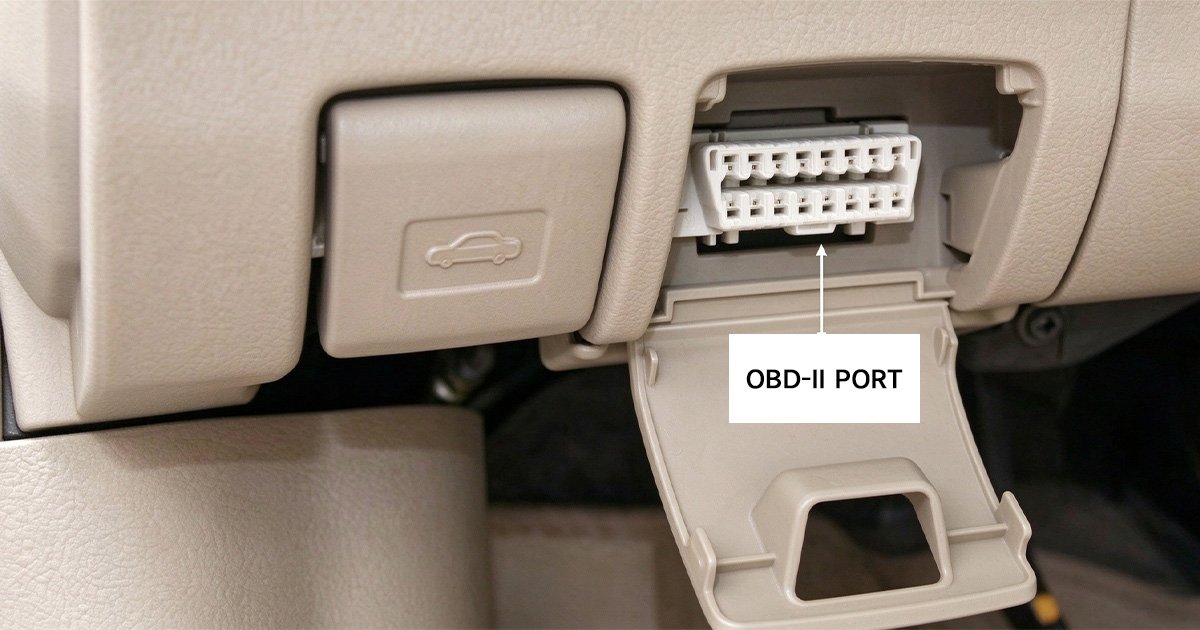
Whether you’re a DIYer buying your first car diagnostic tool or a mechanic building out a professional kit, understanding how an OBD2 adapter cable works—and what those 16 pins actually do—will save you hours of confusion.
Let’s break it down.
What Is an OBD2 Adapter Cable?
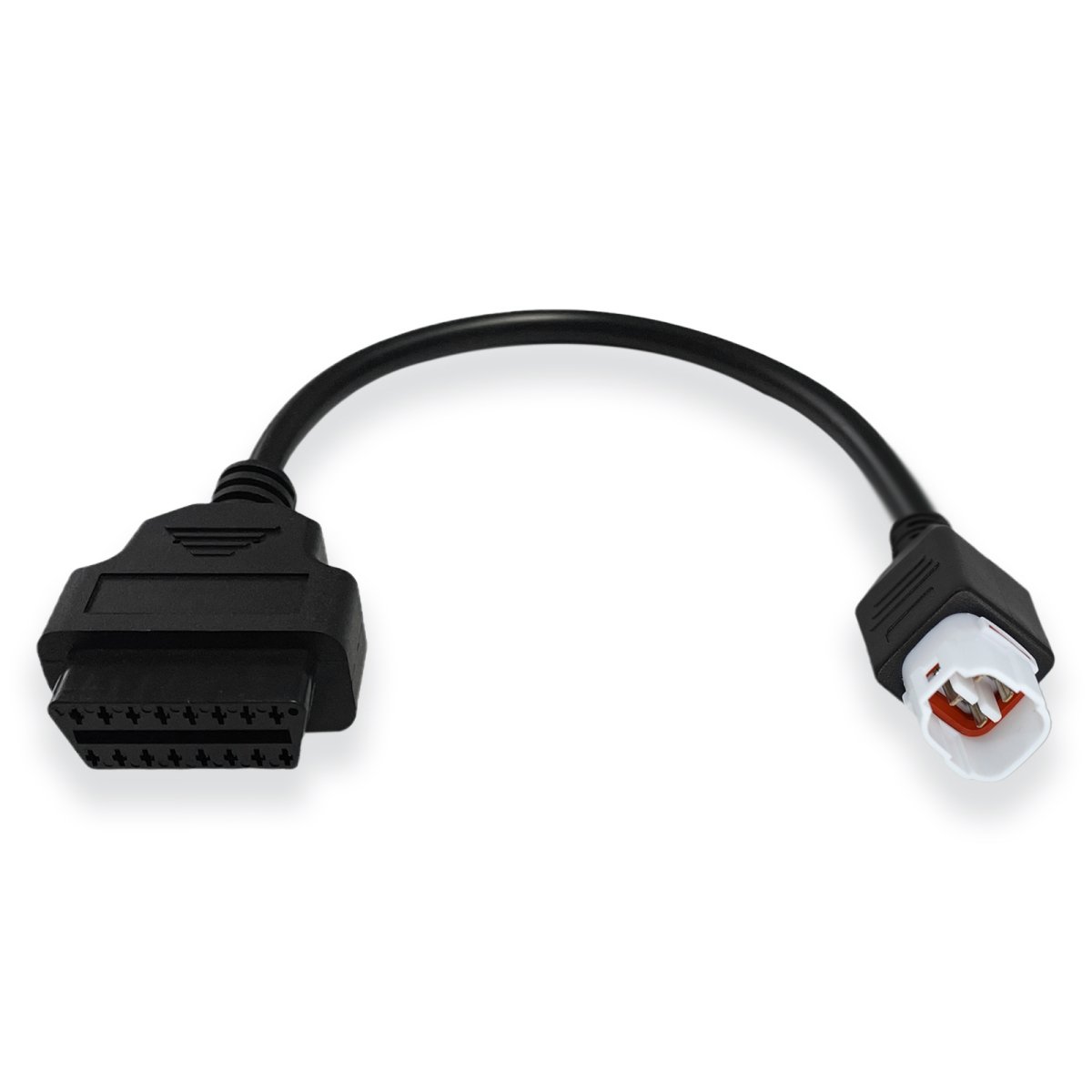
An OBD2 adapter cable is a cable that connects your vehicle’s OBD2 port to a scan tool, code reader, or diagnostic device. It acts as the physical and electrical bridge between your car’s ECU (Engine Control Unit) and the device reading its data.
Depending on your setup, an OBD2 adapter cable might:
- Connect a handheld OBD2 scanner directly to the port
- Convert the 16‑pin OBD2 connector to USB, serial, or another interface for PC‑based diagnostics
- Extend the reach of your port (an OBD2 extension cable)
- Split the signal so two devices can read data simultaneously (an OBD2 splitter cable)
In short: no adapter cable, no communication. Your scan tool is useless without one.
The 16‑Pin OBD2 Connector: A Universal Standard
Since 1996, every car sold in the United States has been required to have a standardized 16‑pin OBD2 connector (also called the J1962 connector). This is why a single OBD2 diagnostic cable can work across so many different makes and models.
Here’s what makes the connector universal:
- Trapezoidal shape – prevents plugging it in upside down
- 16 pins arranged in two rows of 8
- Standardized pin functions – though not every pin is used in every vehicle
The key thing to understand: the connector is standardized, but the pins inside are not all wired the same way across manufacturers. This is exactly why pin‑out knowledge matters.
OBD2 Pin‑Out Explained: What Each Pin Does
Here’s the standard OBD2 pin‑out you’ll find on most vehicles:
| Pin | Function |
|---|---|
| 1 | Manufacturer‑specific (often ignition‑switched power) |
| 2 | SAE J1850 Bus+ (PWM/VPW) |
| 3 | Manufacturer‑specific |
| 4 | Chassis Ground |
| 5 | Signal Ground |
| 6 | CAN High (ISO 15765‑4) |
| 7 | K‑Line (ISO 9141‑2 / ISO 14230‑4) |
| 8 | Manufacturer‑specific |
| 9 | Manufacturer‑specific |
| 10 | SAE J1850 Bus− |
| 11 | Manufacturer‑specific |
| 12 | Manufacturer‑specific |
| 13 | Manufacturer‑specific |
| 14 | CAN Low (ISO 15765‑4) |
| 15 | L‑Line (ISO 9141‑2 / ISO 14230‑4) |
| 16 | Battery Power (+12V constant) |
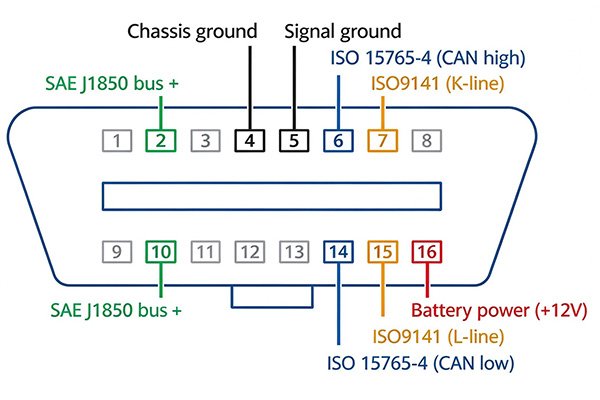
The Pins That Matter Most
- Pin 16 (Battery Power) – supplies 12V to power your scan tool
- Pins 4 & 5 (Grounds) – complete the electrical circuit
- Pins 6 & 14 (CAN High/Low) – used on virtually all vehicles built after 2008
- Pins 2, 7, 10, 15 – legacy protocol pins for older vehicles (pre‑CAN)
If you’re working on a modern car, your OBD2 adapter cable is almost certainly routing data through pins 6 and 14.
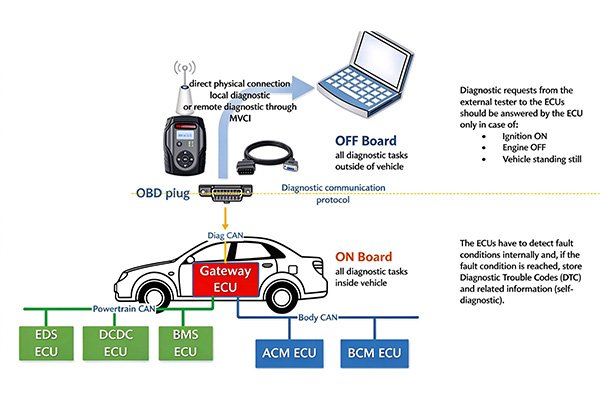
How an OBD2 Adapter Cable Works
Here’s the basic flow of communication:
- You plug the adapter cable into the vehicle’s OBD2 port.
- The cable carries power from pin 16 to your scan tool.
- The scan tool sends a request (e.g., “read trouble codes”) through the data pins.
- The ECU responds using the appropriate protocol (CAN, K‑Line, J1850, etc.).
- The cable transmits that response back to your tool, which translates it into readable data.
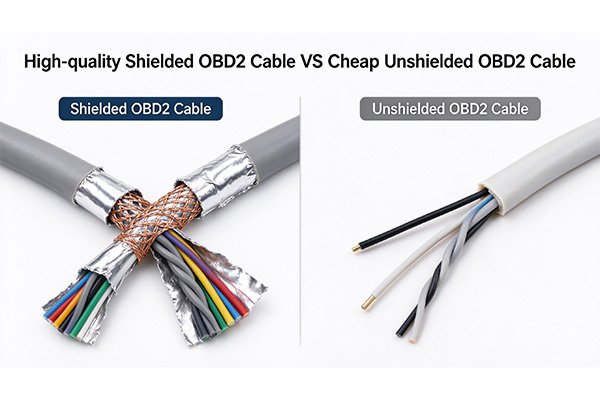
The adapter cable itself doesn’t “translate” anything—it’s a passive conduit. The translation happens in your scan tool or diagnostic software. That’s why cable quality matters: a poorly shielded or incorrectly wired OBD2 adapter cable can cause dropped signals, slow communication, or complete failure to connect.
Types of OBD2 Adapter Cables
Not all OBD2 cables are the same. Here are the most common types:
1. Standard OBD2 to OBD2 Cable
Direct connection between the vehicle port and a scan tool. Most common type.
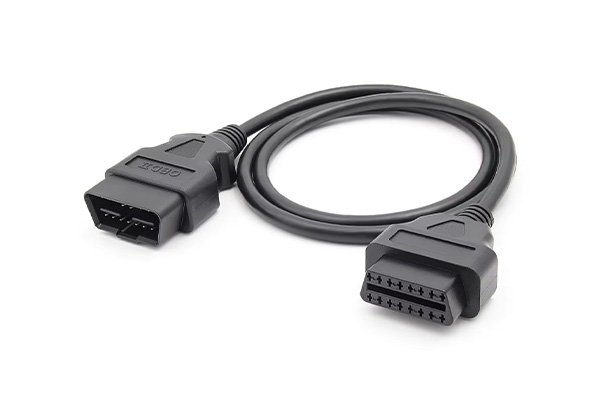
2. OBD2 Extension Cable
Adds length (typically 1–5 feet) so you can hold your scanner comfortably while driving or position it on a windshield mount.
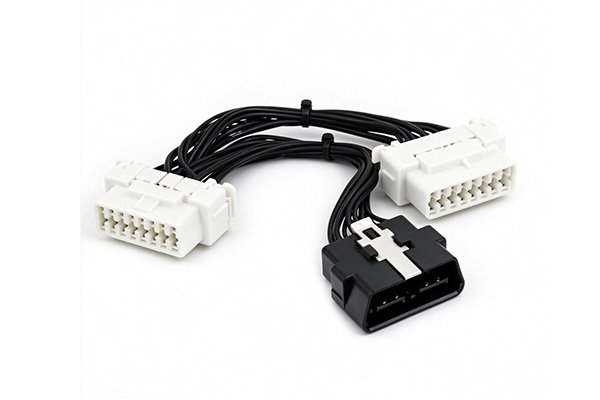
3. OBD2 Splitter Cable (Y‑Cable)
Lets you connect two devices at once—useful for running a data logger alongside a live scanner.
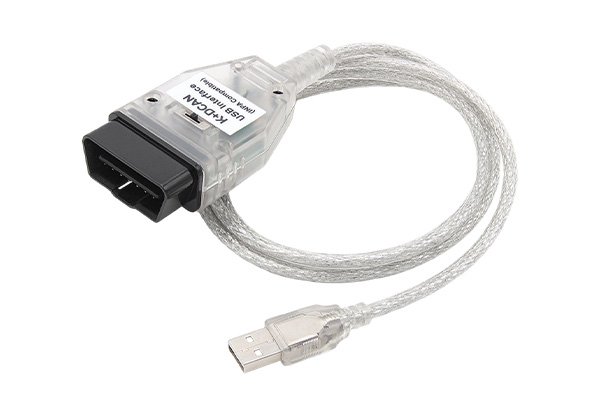
4. OBD2 to USB / Serial Adapter
For PC‑based diagnostics, tuning software, or datalogging. Common with tools like FORScan, VCDS, or INPA.
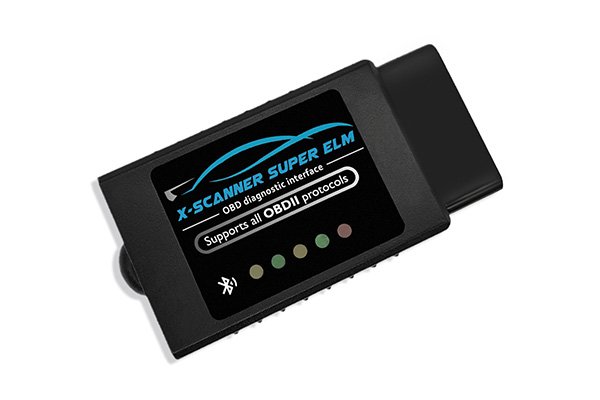
5. OBD2 to Bluetooth / WiFi Adapter
Wireless dongles that pair with your phone. Technically not a “cable,” but the same principle applies.
6. Manufacturer‑Specific Adapter Cables
Some older or specialized vehicles use non‑standard pin configurations, requiring a dedicated adapter cable (e.g., for certain European or Asian models).
Choosing the Right OBD2 Adapter Cable
Before you buy, ask yourself:
- What protocol does my vehicle use? (CAN, K‑Line, J1850)
- What device am I connecting? (handheld scanner, laptop, phone)
- Do I need extra length or a splitter?
- Is the cable properly shielded? Cheap cables can cause interference
- Does it support all 16 pins? Some budget cables only wire the CAN pins
For most modern vehicles, a well‑made OBD2 adapter cable with full pin support and proper shielding will handle 95% of diagnostic tasks.
Frequently Asked Questions
Q: Can I use any OBD2 adapter cable with any car?
A: The connector fits any OBD2‑compliant vehicle (1996+ in the US), but protocol support varies. Make sure your cable and tool support your car’s protocol.
Q: Will a longer OBD2 cable affect data transmission?
A: Generally no, for lengths under 10 feet. Beyond that, signal degradation can occur.
Q: What’s the difference between an OBD2 adapter cable and a scanner?
A: The cable is the physical connection. The scanner is the device that reads and interprets the data.
Q: Do I need a special cable for CAN bus vehicles?
A: Most quality OBD2 adapter cables already support CAN (pins 6 and 14). Just verify before purchasing.
Final Thoughts
The OBD2 adapter cable is one of those parts you don’t think about—until it doesn’t work. Understanding the 16‑pin connector, the pin‑out, and how data flows from your ECU to your scan tool puts you in a much better position to diagnose problems, choose the right equipment, and get accurate readings every time.
Whether you’re just starting out with a basic OBD2 scanner or building a full diagnostic setup, the right cable is the foundation everything else rests on.
Shopping for OBD2 adapter cables? Browse our selection of professionally wired, fully shielded diagnostic cables built for reliability across all major vehicle protocols.
