Wireless convenience or wired reliability? We break down the pros and cons of each connection type.
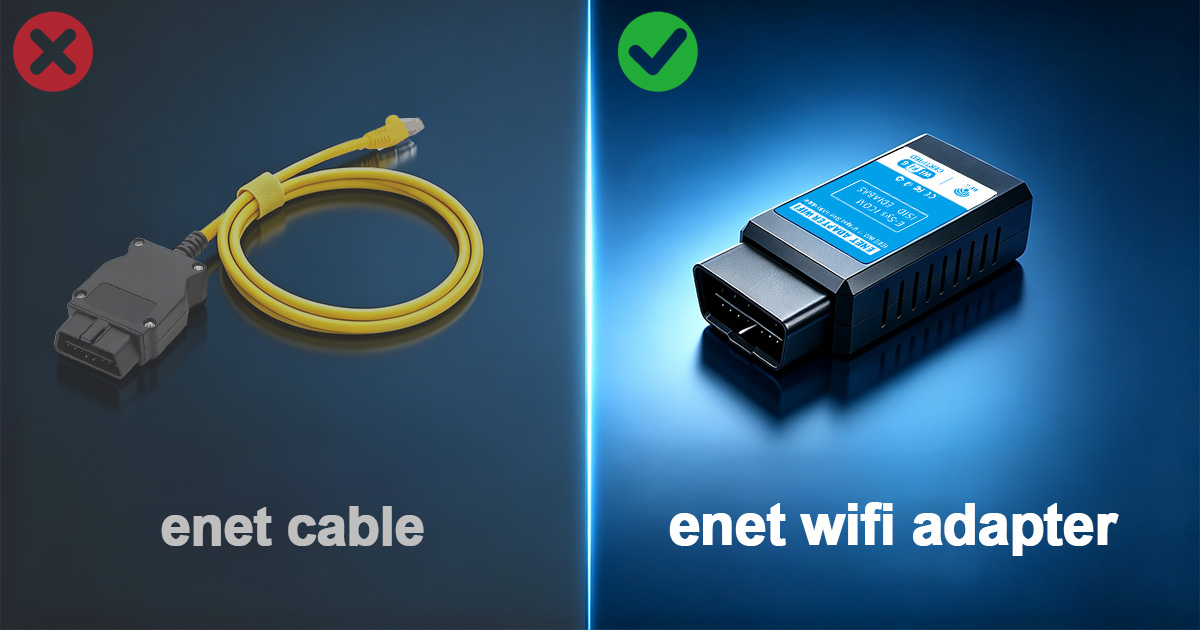
When it comes to BMW diagnostics and coding, the first decision you need to make is whether to go wireless or stick with a traditional wired connection. Both have their place, and the right choice depends on how you plan to use the tool.
WiFi adapters have become the default choice for most BMW enthusiasts, and for good reason. They offer unparalleled convenience and work seamlessly with both smartphones and laptops.
Traditional ENET cables connect directly to your laptop's Ethernet port (or USB with an adapter). They've been the standard for professional BMW technicians for years.
Numbers matter when you are flashing a 35 MB map to a B58TU ECU. We ran controlled benchmarks in our test facility using a 2021 BMW G20 M340i, a fully charged 95 Ah battery, and a stable 22°C ambient temperature.
| Metric | WiFi Adapter | ENET Cable |
|---|---|---|
| Bootmod3 Stage 2 Flash Time | 11 min 24 sec | 10 min 58 sec |
| ISTA Full Vehicle Scan | 4 min 12 sec | 3 min 55 sec |
| E-SYS FA Write (FEM+BDC) | 6 min 08 sec | 5 min 47 sec |
| Packet Loss (100k pings) | 0.02% | 0.00% |
| Max Distance from Vehicle | 18 m (open garage) | 3 m (cable length) |
The 20-30 second difference in flash time is irrelevant for hobbyists. For professional workshops running 10 flashes per day, the cable saves about 5 minutes total — not enough to justify losing mobile app compatibility.
If you park in an underground garage with 40 other 2.4 GHz networks, a cable may actually be more reliable. However, our WiFi adapters support WiFi channel selection via the web interface. Switching to a clear channel (tested with WiFi Analyzer app) solves interference issues in 95% of cases.
For tuning and coding: WiFi adapter. The ability to use your phone for quick coding sessions or map flashes is a game-changer.
For professional diagnostics: Consider both. Use the cable for long ISTA programming sessions where stability is critical, and WiFi for quick checks.
For beginners: Start with WiFi. The mobile apps are more user-friendly, and you'll get comfortable with coding faster.
We surveyed 500 customers who purchased either a WiFi adapter or a cable from us in 2024. Here is what they reported after six months of ownership:
One customer, a professional tuner in Florida, noted: "I have 12 BMWs in my fleet. The WiFi adapter lives in my glovebox. I can flash a map in the paddock between track sessions without running a cable through the window." Another customer in Germany, a diagnostic specialist, said: "For full vehicle scans on customer cars, I still prefer the cable. It eliminates one variable when something goes wrong."
Assuming you own the tool for three years and perform 100 sessions:
When the total cost difference is less than $10 over three years, convenience becomes the deciding factor.
Your physical environment influences which adapter is more practical. Consider these scenarios:
Ultimately, many serious enthusiasts own both: WiFi for quick flashes and coding, and a cable as a backup for deep programming or troubleshooting in RF-challenged environments.
For the vast majority of BMW owners, the WiFi adapter is the better tool. It combines convenience, broad app support, and reliable performance at a reasonable price. The cable remains a valuable specialist tool for professional diagnostics and extreme RF environments, but it is no longer the default choice. If you can only buy one, buy the WiFi adapter — you will not regret it.
The first BMW ENET cable appeared in 2008 for the F01 7-Series pre-release programming. Since then, the protocol has become the backbone of BMW diagnostics. While cables were the only option for the first five years, WiFi adapters now dominate the market because they bridge the gap between professional-grade diagnostics and smartphone convenience. The future is wireless, but the cable will always have a place in the professional toolbox.
Browse all ENET adapters, read the 2025 Buying Guide, or follow the Setup Tutorial.
Contact us for a free consultation. We typically reply within 24 hours.
Powered by Fluent Forms. We typically respond within 24 hours.